Instance Settings
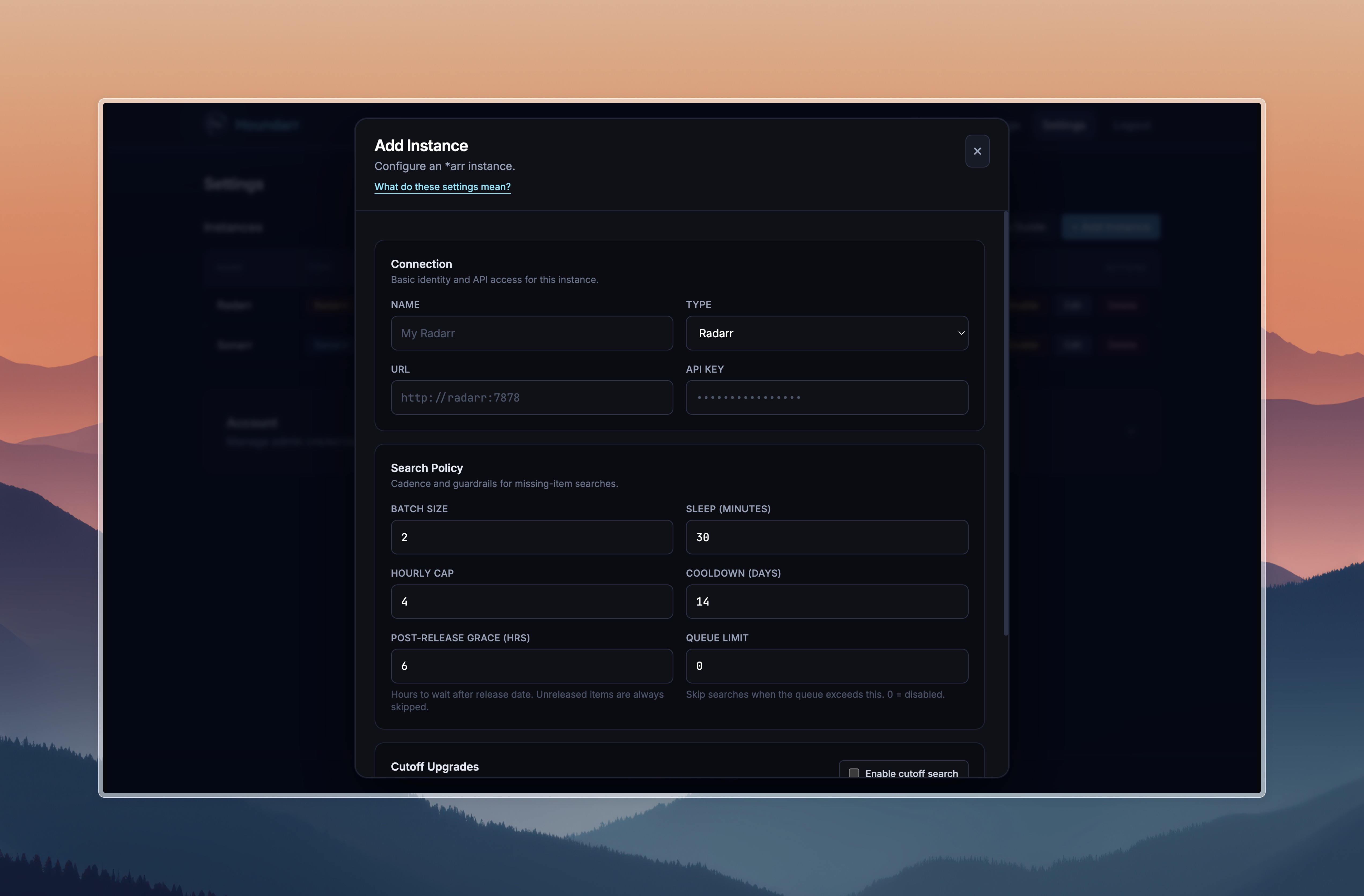
This guide explains each setting available when adding or editing an instance in Houndarr. The defaults are conservative — keep settings low to reduce indexer/API pressure and avoid bans.
Search command contract
- Radarr: Sends movie-level commands (
MoviesSearchwithmovieIds). - Sonarr (default): Sends episode-level commands (
EpisodeSearchwithepisodeIds). - Sonarr (advanced): Missing pass can use season-context commands
(
SeasonSearchwithseriesId+seasonNumber) when enabled per instance. - Lidarr (default): Sends album-level commands (
AlbumSearchwithalbumIds). - Lidarr (advanced): Missing pass can use artist-context commands
(
ArtistSearchwithartistId) when enabled per instance. - Readarr (default): Sends book-level commands (
BookSearchwithbookIds). - Readarr (advanced): Missing pass can use author-context commands
(
AuthorSearchwithauthorId) when enabled per instance. - Whisparr (default): Sends episode-level commands (
EpisodeSearchwithepisodeIds). - Whisparr (advanced): Missing pass can use season-context commands
(
SeasonSearchwithseriesId+seasonNumber) when enabled per instance. - Wanted-list reads are restricted to monitored items (
monitored=true) for both missing and cutoff passes across all app types.
Missing search controls
Batch Size
Maximum number of missing items considered per cycle.
- Default:
2 - Lower values are safer; higher values clear backlog faster.
Sleep (minutes)
Wait time between cycles for each enabled instance.
- Default:
30 - Lower values increase request frequency.
Hourly Cap
Maximum successful missing searches per hour.
- Default:
4 - Set
0to disable this cap (not recommended unless you trust upstream limits).
Cooldown (days)
Minimum days before retrying the same missing item.
- Default:
14 - Larger values reduce repeat search noise.
- Missing only: if the latest missing-pass skip for an item was
not yet releasedorpost-release grace (Nh), Houndarr allows one retry as soon as the item becomes eligible, even if the normal missing cooldown has not fully elapsed. - After that retry, normal missing cooldown resumes.
Post-Release Grace (hours)
Hours to wait after an item's release date before searching.
- Default:
6 - Items still within this window are logged as
post-release grace (Nh)and skipped. - Items that have not been released yet (no release date, or date in the future) are always skipped with reason
not yet released, regardless of this setting. - Once a missing item clears
not yet releasedorpost-release grace (Nh), Houndarr may retry it on the next missing pass without waiting for the full missing cooldown.
Release date evaluation varies by app type:
- Radarr: Fallback anchors in order:
digitalRelease→physicalRelease→releaseDate→inCinemas. Unavailable or pre-release titles may also be skipped using availability signals (isAvailable/status). - Sonarr / Whisparr: Uses
airDateUtc(Sonarr) or theDateOnlyyear/month/day object (Whisparr). - Lidarr: Uses the album
releaseDatefield. - Readarr: Uses the book
releaseDatefield.
Sonarr Missing Search Mode
Strategy for Sonarr missing-pass commands.
- Default:
Episode search (default) - Advanced:
Season-context search (advanced)
Season-context mode sends at most one SeasonSearch per (series, season) per pass.
Cooldown in season-context mode is tracked at the season level using a stable synthetic identifier derived from the series ID and season number — not through any individual episode. This ensures cooldown history is consistent across cycles regardless of which episode happens to appear first on the wanted list.
Lidarr Missing Search Mode
Strategy for Lidarr missing-pass commands.
- Default:
Album search (default) - Advanced:
Artist-context search (advanced)
Artist-context mode sends at most one ArtistSearch per artist per pass.
Readarr Missing Search Mode
Strategy for Readarr missing-pass commands.
- Default:
Book search (default) - Advanced:
Author-context search (advanced)
Author-context mode sends at most one AuthorSearch per author per pass.
Whisparr Missing Search Mode
Strategy for Whisparr missing-pass commands.
- Default:
Episode search (default) - Advanced:
Season-context search (advanced)
Season-context mode sends at most one SeasonSearch per (series, season) per pass, same as Sonarr's season-context mode.
Cutoff upgrade controls
Cutoff search
Enable searching for items that do not meet your quality cutoff.
- Default: Off
- Keep this off unless missing items are already under control.
Cutoff Batch
Maximum cutoff items considered per cutoff cycle.
- Default:
1
Cutoff Cooldown
Minimum days before retrying the same cutoff item.
- Default:
21
Cutoff Cap
Maximum successful cutoff searches per hour.
- Default:
1 - Set
0to disable cutoff hourly cap.
Cutoff searches use separate cap/cooldown settings from missing searches so they do not consume the same budget.
The release-aware retry above does not apply to cutoff searches.
Queue backpressure
When Queue Limit is set above zero, Houndarr checks the instance's download
queue before each cycle. If the total queue count meets or exceeds the limit,
the entire cycle is skipped and logged as queue backpressure (N/M).
- Default:
0(disabled) - If the queue endpoint is unreachable, the search proceeds normally (fails open).
- This prevents Houndarr from piling up work when the download client is already busy.
Fair backlog scanning
Houndarr does not stop at the first wanted page. During each cycle, it can scan deeper pages when top candidates are repeatedly ineligible (cooldown, post-release grace, or caps), but it stays bounded:
- Per-pass list paging has a hard cap (no unbounded page walks)
- Per-pass candidate evaluation has a hard scan budget
- Missing remains primary; cutoff remains separate and conservative
This improves backlog rotation while preserving polite API behavior.
Skips are normal — see How Houndarr Works and the FAQ for details.
Recommended starting profile
| Setting | Value |
|---|---|
| Batch Size | 2 |
| Sleep (minutes) | 30 |
| Hourly Cap | 4 |
| Cooldown (days) | 14 |
| Post-Release Grace (hrs) | 6 |
| Queue Limit | 0 (disabled) |
| Cutoff search | Off |
| Cutoff Batch | 1 |
| Cutoff Cooldown | 21 |
| Cutoff Cap | 1 |
Increasing throughput
Increase one control at a time and observe logs for a full day.
Suggested order:
- Increase Batch Size slightly.
- Lower Sleep (minutes) slightly.
- Increase Hourly Cap only if indexers remain healthy.
- Enable Cutoff search last.
Status control
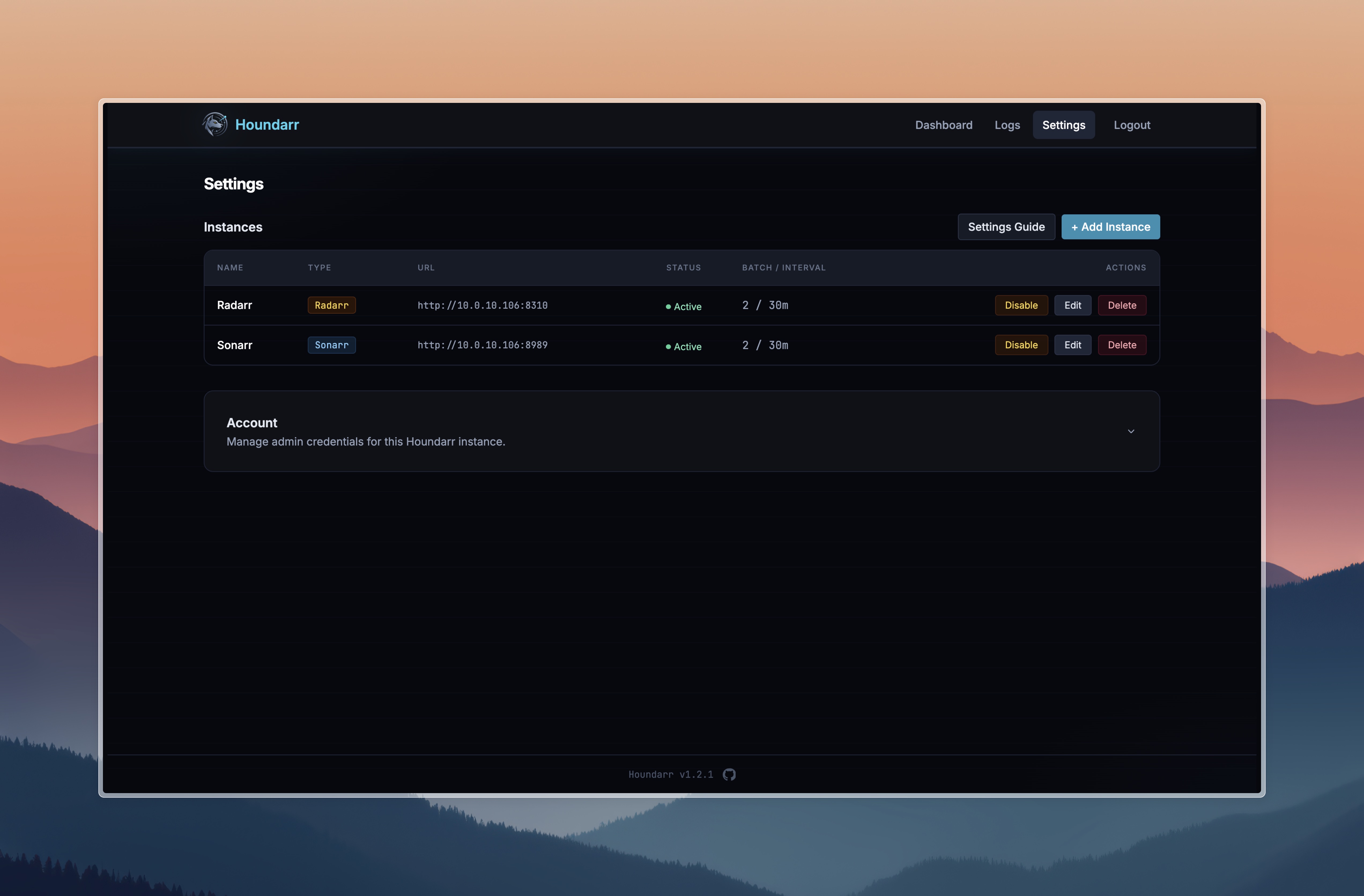
Instance enabled/disabled state is controlled from the row toggle in Settings. New instances are created as enabled by default.